EffectCraft
Motion graphics & VFX · Adobe After Effects alternative
Compositions, keyframes, expressions and Lottie, in a free motion graphics app.
PDF reader & editor · v0.7.1 · Alpha
PdfCraft is the PDF workbench of the Crafting Apps: an open-source, clean-room take on Adobe Acrobat. It renders complex PDFs faithfully, lets you organize pages like cards on a table, combines and splits files without losing bookmarks, handles comments, forms, layers and attachments, and opens protected documents while respecting their rules.
The online version is the official web build from the v0.7.1 release (2026-10-12). It runs locally in your browser; a desktop browser with WebGPU or WebGL2 works best.
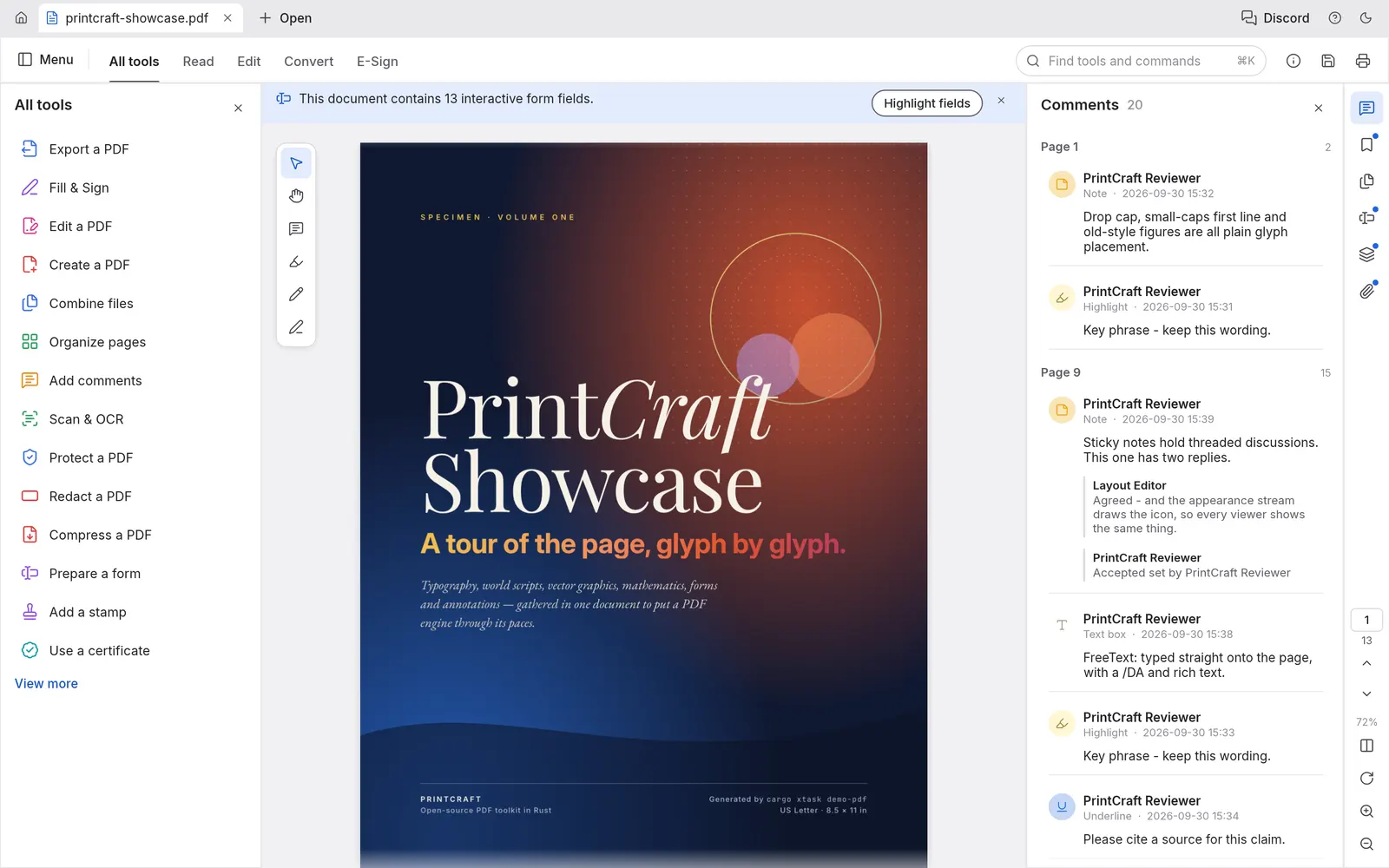
World scripts, vertical Japanese, color emoji, shadings, blend modes, soft masks and optional content. It ran the 983-file pdf.js corpus with 0 crashes.
Select, rotate, delete, insert blank pages or pages from another file, reorder, and undo any of it, even after saving.
Merge any number of PDFs with per-file bookmarks, extract selected pages, or split every n pages.
Threaded comments, highlights, form filling with checkboxes, radio buttons and signatures, layers and attachments.
Every save appends your changes and leaves the original bytes untouched, with autosave and crash recovery.
No account, no telemetry and no cloud. It works offline and opens instantly.
pdfcraft-0.7.1-windows-x64.msi (or the portable zip; ARM64 and x86 builds exist).pdfcraft-0.7.1-macos-universal.dmg, which is signed and notarized for Apple Silicon and Intel..deb, .rpm or Flatpak for your distro.SHA256SUMS.txt in the same release.Yes. Combine Files merges any number of PDFs into one and gives each source file its own bookmark.
Yes. The WebAssembly app runs entirely in your browser. Files you open are never uploaded.
Yes. PdfCraft is free and open source under MIT OR Apache-2.0. There is no subscription, no account and no telemetry.
Yes. PdfCraft compiles to WebAssembly, and this site hosts the official v0.7.1 web build at artcraftsuite.org/app/pdfcraft/. It runs entirely in your browser, and files you open are not uploaded.
Only from getartcraft.com/apps/pdfcraft or the Releases page of github.com/storytold/pdfcraft. Avoid look-alike GitHub repos that offer a "local zip" or password-protected archive: they are not the official project.
Yes. Releases include Windows installers and portable zips (x64, x86, ARM64), a universal macOS DMG, Linux AppImage, deb, rpm and Flatpak (x86_64 and aarch64), FreeBSD builds and the web version.
PdfCraft is one of the ArtCraft Crafting Apps, developed in the open at github.com/storytold/pdfcraft. It is a clean-room project and is not affiliated with Adobe.
Motion graphics & VFX · Adobe After Effects alternative
Compositions, keyframes, expressions and Lottie, in a free motion graphics app.
Page layout & publishing · Adobe InDesign alternative
Spreads, parent pages, threaded text and IDML, in a free page layout app.
Word processing · Microsoft Word alternative
The ribbon, styles, track changes and .docx, in a free word processor.