PdfCraft
PDF reader & editor · Adobe Acrobat alternative
Read, organize, merge, split and secure PDFs without an account or a subscription.
Photo library & RAW · v0.7.1 · Alpha
LightCraft is the photo library and RAW developer of the Crafting Apps: an open-source, clean-room take on Adobe Lightroom. It has its own pure-Rust RAW decoders (DNG, CR2/CR3, ARW, NEF, RAF including X-Trans), Light, Color and Effects panels, color grading wheels, masking, presets and a library with albums, ratings and flags.
The online version is the official web build from the v0.7.1 release (2026-10-12). It runs locally in your browser; a desktop browser with WebGPU or WebGL2 works best.
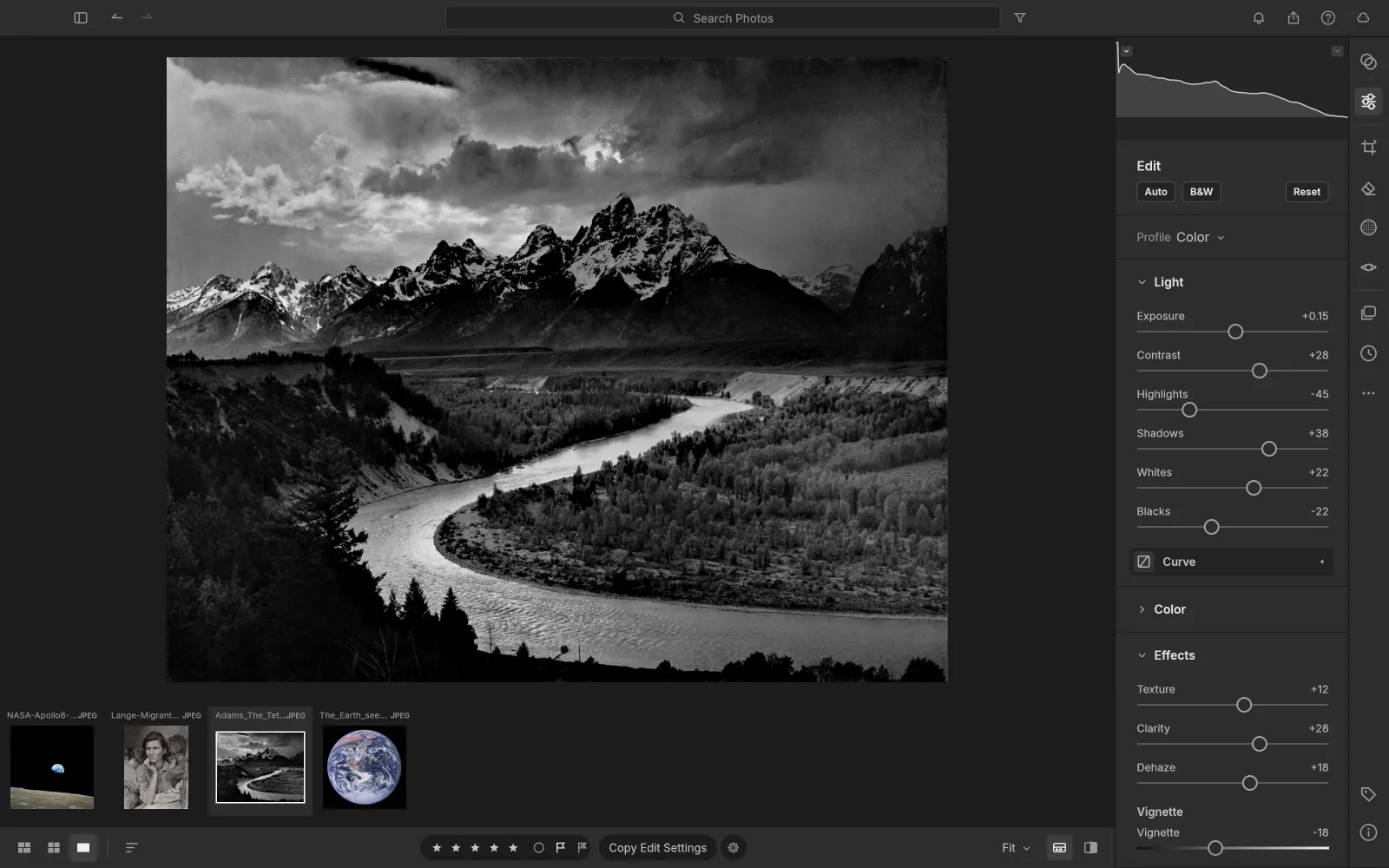
Exposure, Contrast, Highlights, Shadows, Whites, Blacks with edge-aware tone mapping, white balance, Texture, Clarity, Dehaze, and parametric and point tone curves.
Shadow, midtone and highlight wheels for cinematic split-toning, plus an 8-band Color Mixer and B&W Mix.
Brush, linear and radial gradient masks that each carry their own exposure, color and detail settings.
Eighteen hand-built presets such as Golden Hour, Teal & Orange and Faded Matte, each with an Amount slider from 0 to 200%.
All Photos, Picks, By Date, nested albums and folders, ratings and flags. In the browser, the library persists in OPFS/IndexedDB.
A GPU pipeline that matches the CPU path within 1/255, and everything stays on your machine.
lightcraft-0.7.1-windows-x64.msi (or the portable zip; ARM64 and x86 builds exist).lightcraft-0.7.1-macos-universal.dmg, which is signed and notarized for Apple Silicon and Intel..deb, .rpm or Flatpak for your distro.SHA256SUMS.txt in the same release.Its own Rust decoders cover DNG, Canon CR2 and CR3, Sony ARW, Nikon NEF and Fujifilm RAF (including X-Trans), among others.
In your own browser (OPFS/IndexedDB). Nothing is uploaded to artcraftsuite.org or anywhere else.
Yes. LightCraft is free and open source under MIT OR Apache-2.0. There is no subscription, no account and no telemetry.
Yes. LightCraft compiles to WebAssembly, and this site hosts the official v0.7.1 web build at artcraftsuite.org/app/lightcraft/. It runs entirely in your browser, and files you open are not uploaded.
Only from getartcraft.com/apps/lightcraft or the Releases page of github.com/storytold/lightcraft. Avoid look-alike GitHub repos that offer a "local zip" or password-protected archive: they are not the official project.
Yes. Releases include Windows installers and portable zips (x64, x86, ARM64), a universal macOS DMG, Linux AppImage, deb, rpm and Flatpak (x86_64 and aarch64), FreeBSD builds and the web version.
LightCraft is one of the ArtCraft Crafting Apps, developed in the open at github.com/storytold/lightcraft. It is a clean-room project and is not affiliated with Adobe.
PDF reader & editor · Adobe Acrobat alternative
Read, organize, merge, split and secure PDFs without an account or a subscription.
Motion graphics & VFX · Adobe After Effects alternative
Compositions, keyframes, expressions and Lottie, in a free motion graphics app.
Page layout & publishing · Adobe InDesign alternative
Spreads, parent pages, threaded text and IDML, in a free page layout app.