WordCraft
Word processing · Microsoft Word alternative
The ribbon, styles, track changes and .docx, in a free word processor.
Page layout & publishing · v0.7.1 · Pre-alpha
DesignCraft is the page layout app of the Crafting Apps: an open-source, clean-room take on Adobe InDesign. It has spreads and parent pages, threaded multi-column text with wrap, a Knuth–Plass paragraph composer with hyphenation, swatches including CMYK, IDML import and export, and PDF/X-4 output.
The online version is the official web build from the v0.7.1 release (2026-10-12). It runs locally in your browser; a desktop browser with WebGPU or WebGL2 works best.
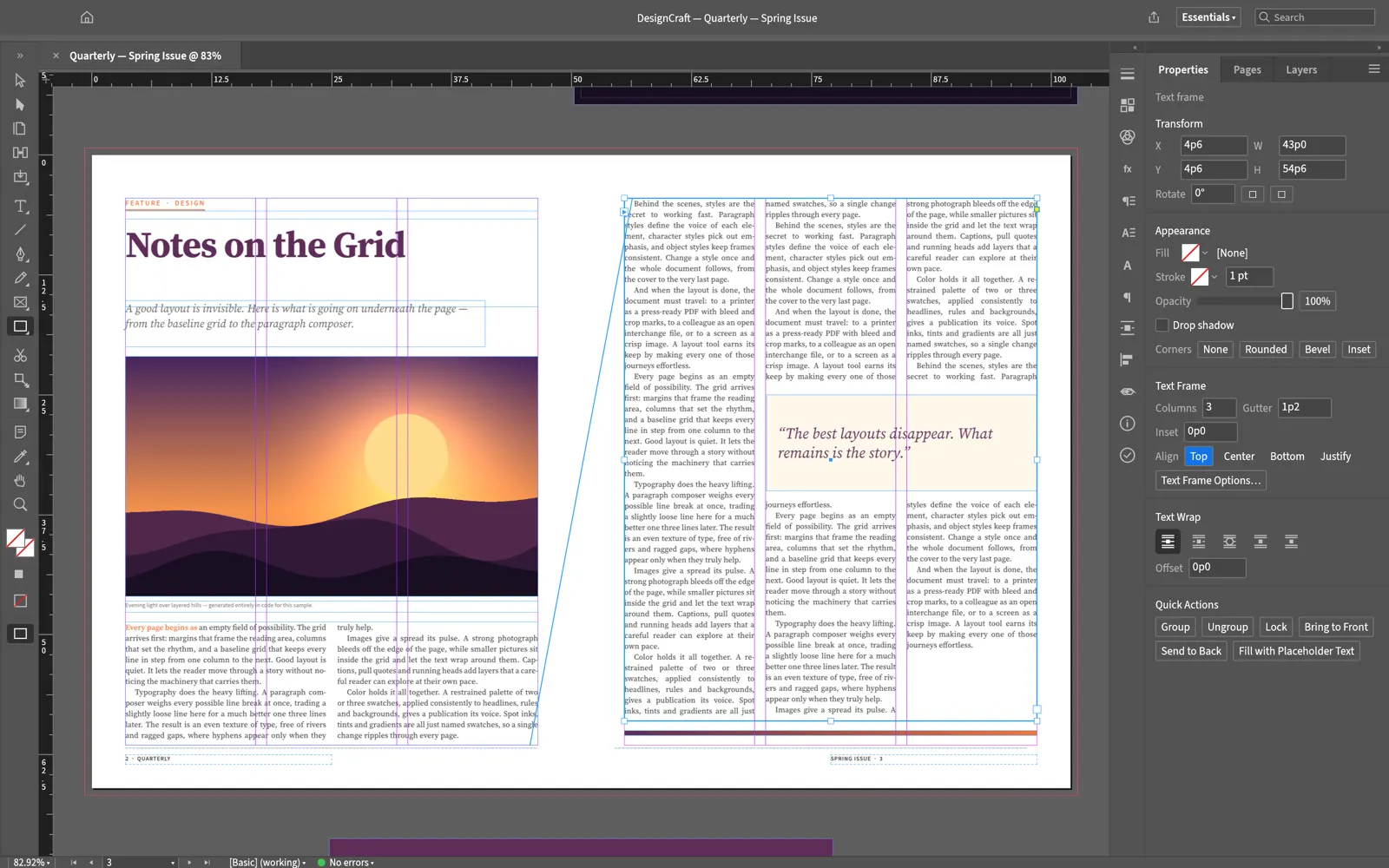
InDesign's tools, panels and shortcuts: spreads, parent pages, frames, guides and folios.
A Knuth–Plass paragraph composer plus a single-line composer, dictionary hyphenation, and paragraph and character styles.
One story flows through linked frames and columns and wraps around pull quotes and images.
Export PDF/X-4 and PDF/A-2b, with named and CMYK process swatches.
Bring InDesign layouts over through IDML and send them back.
Every menu item, tool gesture and dialog can be driven over a JSON control channel and an MCP server.
designcraft-0.7.1-windows-x64.msi (or the portable zip; ARM64 and x86 builds exist).designcraft-0.7.1-macos-universal.dmg, which is signed and notarized for Apple Silicon and Intel..deb, .rpm or Flatpak for your distro.SHA256SUMS.txt in the same release.It imports and exports IDML, InDesign's interchange format. Native .indd files are not supported.
Yes. DesignCraft is free and open source under MIT OR Apache-2.0. There is no subscription, no account and no telemetry.
Yes. DesignCraft compiles to WebAssembly, and this site hosts the official v0.7.1 web build at artcraftsuite.org/app/designcraft/. It runs entirely in your browser, and files you open are not uploaded.
Only from getartcraft.com/apps/designcraft or the Releases page of github.com/storytold/designcraft. Avoid look-alike GitHub repos that offer a "local zip" or password-protected archive: they are not the official project.
Yes. Releases include Windows installers and portable zips (x64, x86, ARM64), a universal macOS DMG, Linux AppImage, deb, rpm and Flatpak (x86_64 and aarch64), FreeBSD builds and the web version.
DesignCraft is one of the ArtCraft Crafting Apps, developed in the open at github.com/storytold/designcraft. It is a clean-room project and is not affiliated with Adobe.
Word processing · Microsoft Word alternative
The ribbon, styles, track changes and .docx, in a free word processor.
Spreadsheets · Microsoft Excel alternative
500+ functions, PivotTables, charts and XLSX, in a free spreadsheet.
Presentations · Microsoft PowerPoint alternative
Themes, layouts, Morph transitions and .pptx, in a free presentation app.